Manage Your Auto Repair Shop From Your Pocket
Side Wrench is the complete work order and business management app built for independent mechanics. Track jobs, time your labor, generate invoices, and monitor your profits — on iPhone and iPad.
New to the app? The User Guide walks you through everything, from first launch to tax export.
Why Mechanics Choose Side Wrench
Spend Less Time on Paperwork
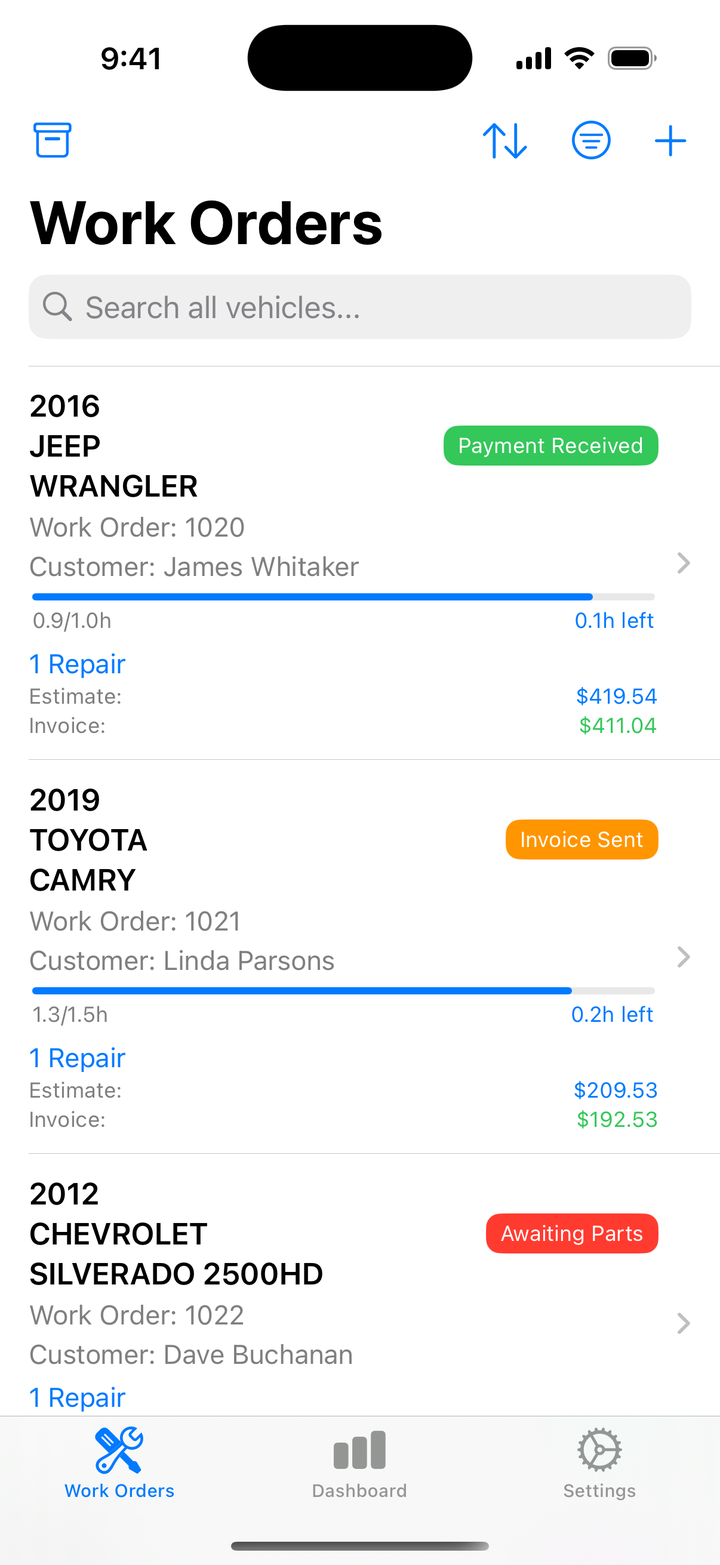
Create work orders in seconds. Customer info, vehicle details, repairs, and parts all live in one place. Scan a VIN — barcode or the printed number — and the vehicle’s year, make, model, and engine fill in automatically.
Track Every Minute
The built-in timer tracks labor in real time. See it on your Lock Screen, in the Dynamic Island, and get hourly reminders so a running timer never slips your mind.
Get Paid Faster
Generate professional PDF invoices instantly — and attach repair photos and documents right to the PDF. Track partial payments and outstanding balances so you always know who owes you money.
Know Your Numbers
The Dashboard shows revenue, payments received, outstanding balances, and profit at a glance. Export a tax-ready CSV for Schedule C filing in one tap.
Feature Highlights
Work Order Management
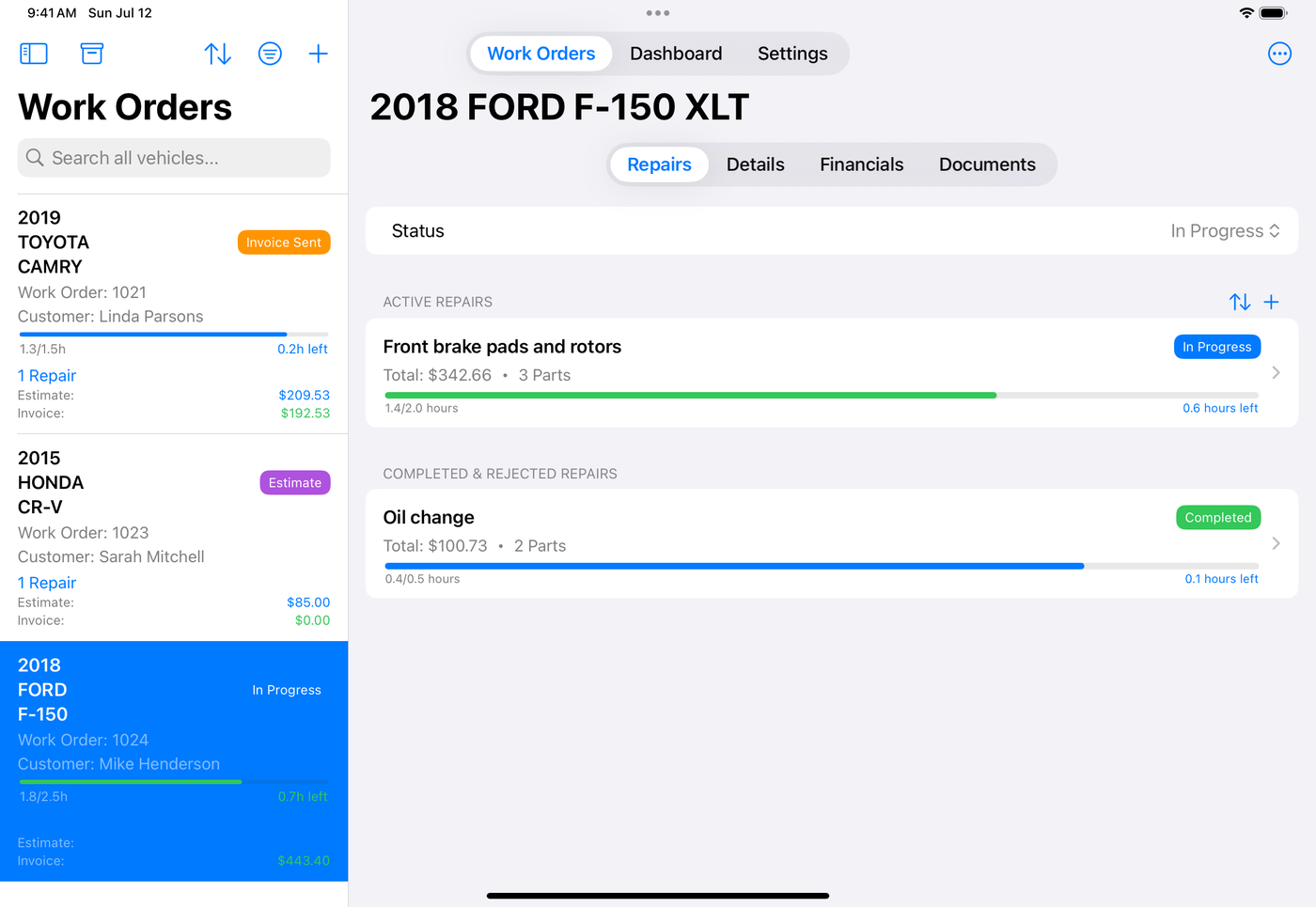
Track every job from estimate through payment with color-coded statuses. Search, sort, and filter your list by status or date range, and archive completed work to keep the active list clean.
Labor Timer with Live Activity
Start the timer and see it right on your Lock Screen. Works with the Dynamic Island on iPhone 14 Pro and newer. A persistent in-app banner shows the running timer wherever you are in the app.
Parts Tracking with Markup
Add parts with quantity, cost, supplier, and purchase date. Your markup — percentage or fixed dollar — is applied automatically, so you see your parts profit on every job. Sort and filter the parts list by name, total, quantity, purchase date, or supplier.
Professional Invoices
Generate itemized PDF invoices with your company branding — repairs, parts, labor breakdown, payment history, and balance due. Attach repair photos and vehicle documents to the PDF before you send it. Share by email, Messages, AirDrop, or save to Files.
Financial Dashboard
Revenue trends, outstanding balances, and profit analysis across any time range from the last 7 days to all time. A two-column layout makes full use of the iPad screen.
Tax-Ready Export
Export your financial data to CSV, organized for Schedule C — labor income, parts cost and markup, payments, and profit margin, with a summary section your accountant will love.
Built for iPad Too
- Split-view navigation — work order list on the left, details on the right
- Multiple windows — open a work order in its own window and work side by side
- Drag & drop — drop photos onto a repair, or PDFs onto a vehicle’s documents
- Keyboard shortcuts — ⌘N for a new work order, ⌘F to search
How It Works
- Add a Work Order — enter the customer and vehicle, or scan the VIN
- Track Repairs — add repairs with labor hours and parts
- Start the Timer — capture actual work time in real time
- Invoice the Customer — generate a professional PDF with one tap
- Record Payment — log payments and track outstanding balances
Built for the Real World
- Works offline — no internet required; your data is always on your device
- VIN scanning — barcode or printed VIN, decoded instantly
- iCloud sync — your data on iPhone and iPad, private to your Apple ID (Premium)
- No accounts, no servers — your business data never leaves your control
Download Side Wrench Free
Start free with 2 work orders and every feature to try. Upgrade to Side Wrench Premium — $9.99/month or $69.99/year — for unlimited work orders, iCloud sync, and tax & data export.
Search “Side Wrench” on the App Store to download. (Direct download badge/link to be added.)
Requires iOS 17 or later. Works on iPhone and iPad.